Team chat
The chat lives in the office.
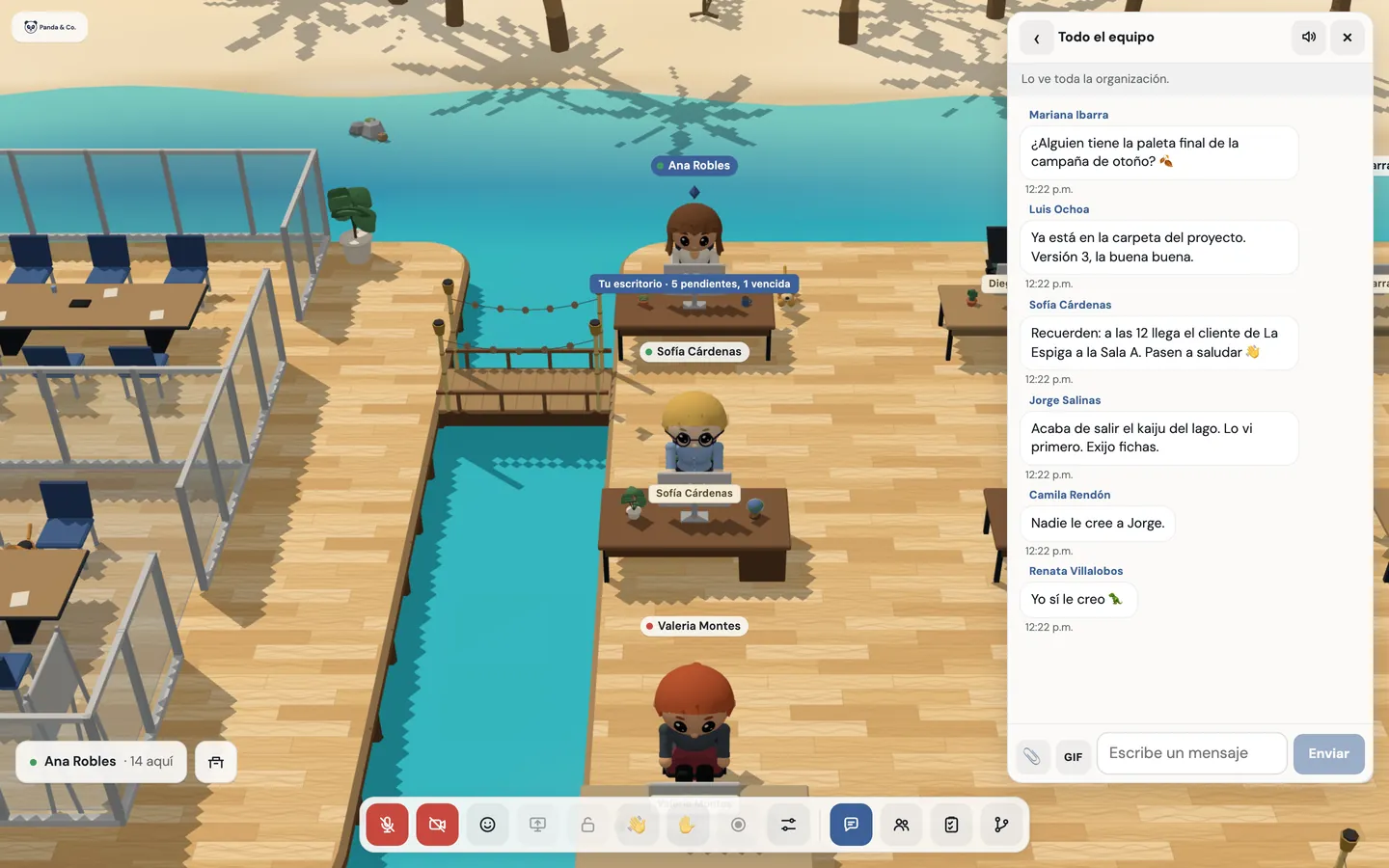
Direct messages, groups, the whole team’s channel and one for each conversation, in the same tab you work in. No other app and no other password.
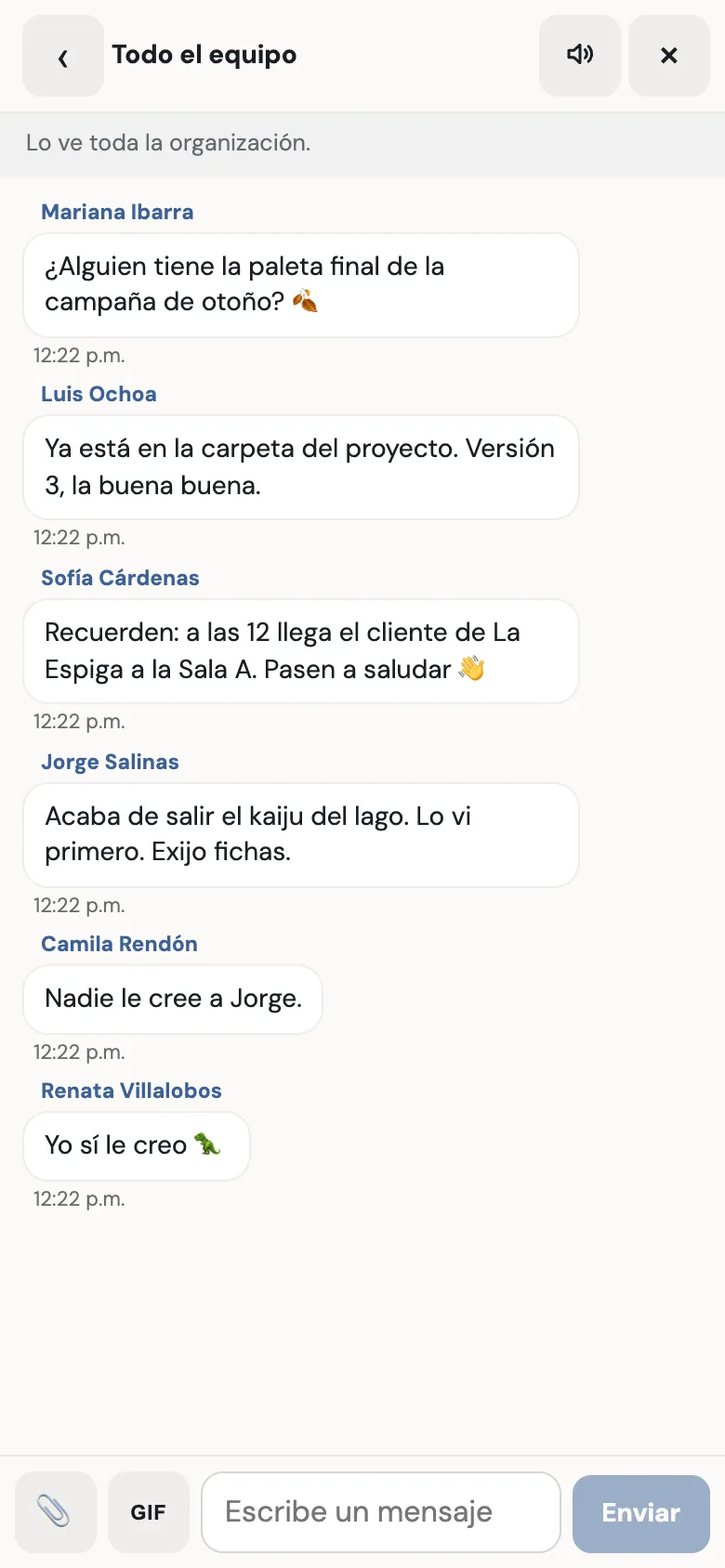
Arcade, your remote team’s digital office, has its own chat: direct messages to anyone, even when they’re offline; named groups; a channel for the whole team; and the chat of each conversation or room while it lasts. You can send images, documents up to 25 MB and GIFs, and what you’ve read syncs across your devices.
Three tabs to say one thing.
The conversation is in one app, the document in another and who’s available in a third. Every jump between tabs is time lost and a message left unread.
How it works
- 01
Message anyone.
From the team list, “Message” opens the conversation with that person, wherever they are on the map or even when they’re offline. The history stays.
- 02
Groups and one channel for everyone.
Anyone creates a named group and invites whoever they want. The team channel already includes the whole organization, no joining needed.
- 03
Files without leaving the office.
Drag, paste or attach images and documents up to 25 MB. Photos have their location stripped, and anything that could run is rejected.
- 04
A conversation’s chat lasts as long as the conversation.
Each conversation and each room has its own chat while it lasts, guests included. When it ends, it isn’t kept.


What’s included
Direct messages
To anyone in the organization, even when they’re offline. The history is kept.
Groups and team channel
Named groups anyone can create, and a channel the whole organization belongs to.
Each conversation’s and room’s chat
While it lasts, with any guests who are there.
Images and documents
Up to 25 MB, with the paperclip, by dragging or by pasting.
Office-friendly GIFs
The trending ones and a search in Spanish.
Notifications and unread
A sound, a counter on the tab and, if you allow it, a browser notification.
On all your devices
What you’ve read is remembered on the server, with the same office account.
Good to know
- Messages can’t be edited or deleted in this first version.
- You can’t search the history yet.
- A conversation’s or room’s chat doesn’t take files or GIFs, and isn’t kept.
- Guests only see their room’s chat: they don’t see the organization’s and can’t be messaged.
Privacy
- Files are stored in your organization’s private storage.
- Photos have their location stripped before they’re stored.
- Nobody from another organization sees your chat, and guests never see your team’s.
Questions
Can I message someone who’s offline?
Yes. The message waits for them and shows as unread as soon as they come in, from any device.
What files can I send in the chat?
Images, PDFs, Office documents, text, CSV and ZIP, up to 25 MB. Anything that could run is rejected.
Do I need another account for the chat?
No. It’s the same office account, with no extra sign-in.
Can I turn off the message sound?
Yes, or switch it to one of the five available. If you’re looking at that chat, it doesn’t play.
Keep going
- Proximity chat in a 3D officeWalk up to someone and within 2 seconds you can hear and see each other, no links or scheduling. Up to 8 per conversation, rooms for more, and nobody ends up on a call by accident.
- Integrations: Google Workspace, Monday and GitHubYour calendar, your Monday tasks and your GitHub to-dos, inside your team’s digital office. You don’t switch tools: you use them from a shared place.
- FeaturesProximity conversations, meeting rooms, guests without accounts, webinars, recordings with AI notes, chat, and attendance designed with worker wellbeing in mind.
Checked against the product on .
We’re opening a pilot.
A few companies, setup done together, a direct line to the people who build it and a preferential price forever. Join and we’ll write to you.
Join the pilot