Meetings with notes
Every meeting ends with its notes.
You record the meeting in an Arcade room, the transcript comes out with each person’s name and an AI writes the notes. Everything lands in your company’s Drive, attached to the event.
In Arcade, your remote team’s digital office, room meetings can be recorded and transcribed. Each microphone is transcribed separately, so the transcript says who spoke and at what minute. On top, an AI writes the meeting notes: summary, decisions, action items with owners and topics, in a Google Doc in your company’s Drive.
Meetings get forgotten.
Someone agreed to send the proposal on Friday, someone else to check the numbers and, by Monday, nobody quite remembers who was who. Taking notes while you talk is running two meetings at once, and neither goes well.
How it works
- 01
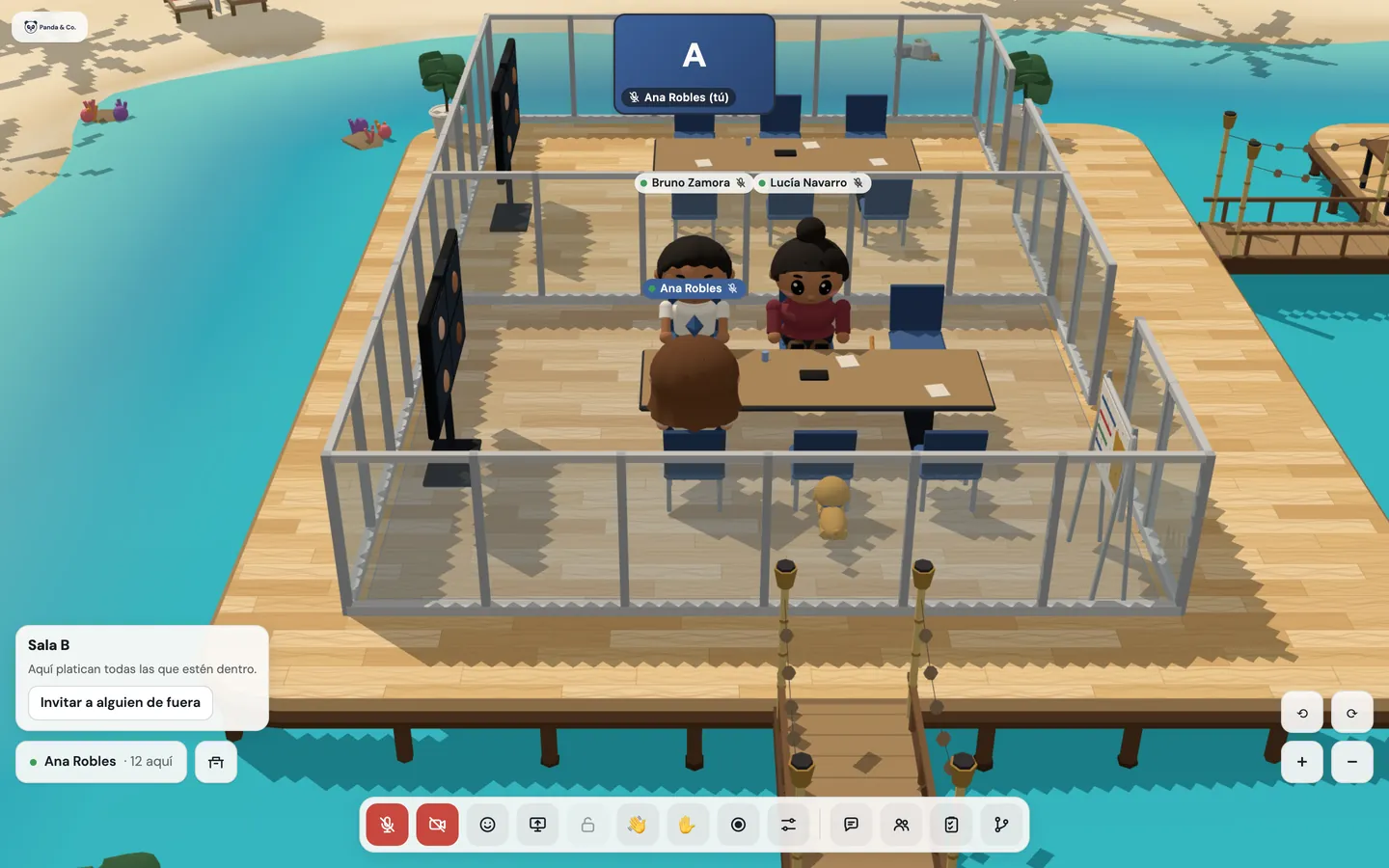
You walk into the room and someone hits record.
Any member in the room can record once there’s a conversation (two people). When you start, you choose what to keep: the video, the transcript or both.
- 02
Nobody is recorded without knowing.
Everyone sees the “Recording” indicator, a chime plays when it starts, and anyone about to walk in sees it before they do, guests included. If they’d rather not, they don’t come in.
- 03
The transcript knows who spoke.
Each microphone is transcribed separately, even for whoever arrives late. That’s why an “unknown speaker” never shows up, and what you say on mute is never transcribed.
- 04
The notes arrive on their own.
When it’s over, an AI writes a short summary, the decisions, the action items with whoever owns them, and the topics, above the transcript. The document sits in your company’s Drive, attached to the Calendar event, and the office sends you the link.

This is what the notes look like.
A made-up meeting at Panda & Co., in the same document that lands in your Drive: who attended, the notes and the transcript with names and timestamps. The office works in Spanish, and so do its notes.
See sample meeting notesWhat’s included
Room meeting recordingWith Google Workspace
Like a video call: a portrait for anyone without a camera (never a black box), a ring around whoever is talking and the shared screen up big.
You choose what to keep
The video, the transcript or both, and the indicator says which.
Transcript with names
Who spoke and at what minute, in the order it was said, in Spanish.
AI-written meeting notes
Summary, decisions, action items with owners and topics. If the AI fails, the document still arrives, with the transcript.
In your company’s DriveWith Google Workspace
A Google Doc in the “Grabaciones de Arcade” shared drive, shared with the members invited to the event and attached to it.
Recorded webinars
While they’re live: the stage, the screen and whoever has the floor. Never the audience’s faces.
Stops on its own
When the room empties or after 4 hours, and by hand whenever you want.
On the way
What you’ll have available
- If your company doesn’t use Google Workspace. Recording in 5-hour blocks, stored by Arcade for 90 days.
Good to know
- Hallway conversations are never recorded: the hallway is informal and it stays that way.
- Today recording needs Google Workspace, because what you record lives in your company’s Drive.
- An AI writes the notes and the document says so. It’s asked not to invent decisions or owners, but it’s worth a read before you send them.
- With Google Workspace, your plan includes 9 recording hours a month for every 5 people. If you need more, there are 5-hour blocks.
Privacy
- It’s shared only with the members invited to the event. Guests don’t get it automatically.
- The audio used for the transcript is deleted from the server when it’s done: it isn’t kept anywhere.
- OpenAI does the transcript and Claude, by Anthropic, the notes. The meeting’s audio and text leave the office for that and only that.
- Your organization can keep recording turned off, or only the transcript. We set it up the way you decide.
Questions
Do I need to install anything to record a meeting?
No. You record from the room, in the browser, and the document reaches your Drive on its own.
Who gets the meeting notes?
The members invited to the Calendar event. If the meeting had no event, the members who were in the room while it was being recorded.
Can I record a meeting with a client?
Yes. Your client sees the meeting is being recorded before walking into the room and can choose not to. Guests can’t record and don’t get the recording automatically.
Do the AI notes replace taking my own?
For what was said in the meeting, almost always. The AI writes from the transcript, which is automatic and can get names or unusual words wrong: a quick read before sending never hurts.
Can I keep only the transcript, without video?
Yes. When you start, you choose the video, the transcript or both, and the room’s indicator says what’s being kept.
Keep going
- FeaturesProximity conversations, meeting rooms, guests without accounts, webinars, recordings with AI notes, chat, and attendance designed with worker wellbeing in mind.
- PricingLaunch price: USD 7.50 per person a month, everything included, from 5 people.
- FAQWhat you need, how recording works, wellbeing, what happens to your data and how much it costs.
Checked against the product on .
We’re opening a pilot.
A few companies, setup done together, a direct line to the people who build it and a preferential price forever. Join and we’ll write to you.
Join the pilot