Webinars
Your auditorium, in your office.
Run webinars for clients, trainings and presentations without paying for another tool: registration, backstage, questions, polls and the list of who showed up.
Arcade, your remote team’s digital office, has an auditorium for webinars: a registration page with your brand, confirmation and reminder emails, up to six speakers, a backstage, questions the audience upvotes, live polls and the list of who attended. The audience joins from a lightweight page, with nothing to install.
A webinar needs another tool.
And another account, another bill and another brand on top of yours. For a training for forty people or a client presentation, that’s a lot to set up.
How it works
- 01
You create it from the office.
Title, description, date, a length of 30 to 120 minutes and up to six speakers with their titles. Anyone on the team can create one.
- 02
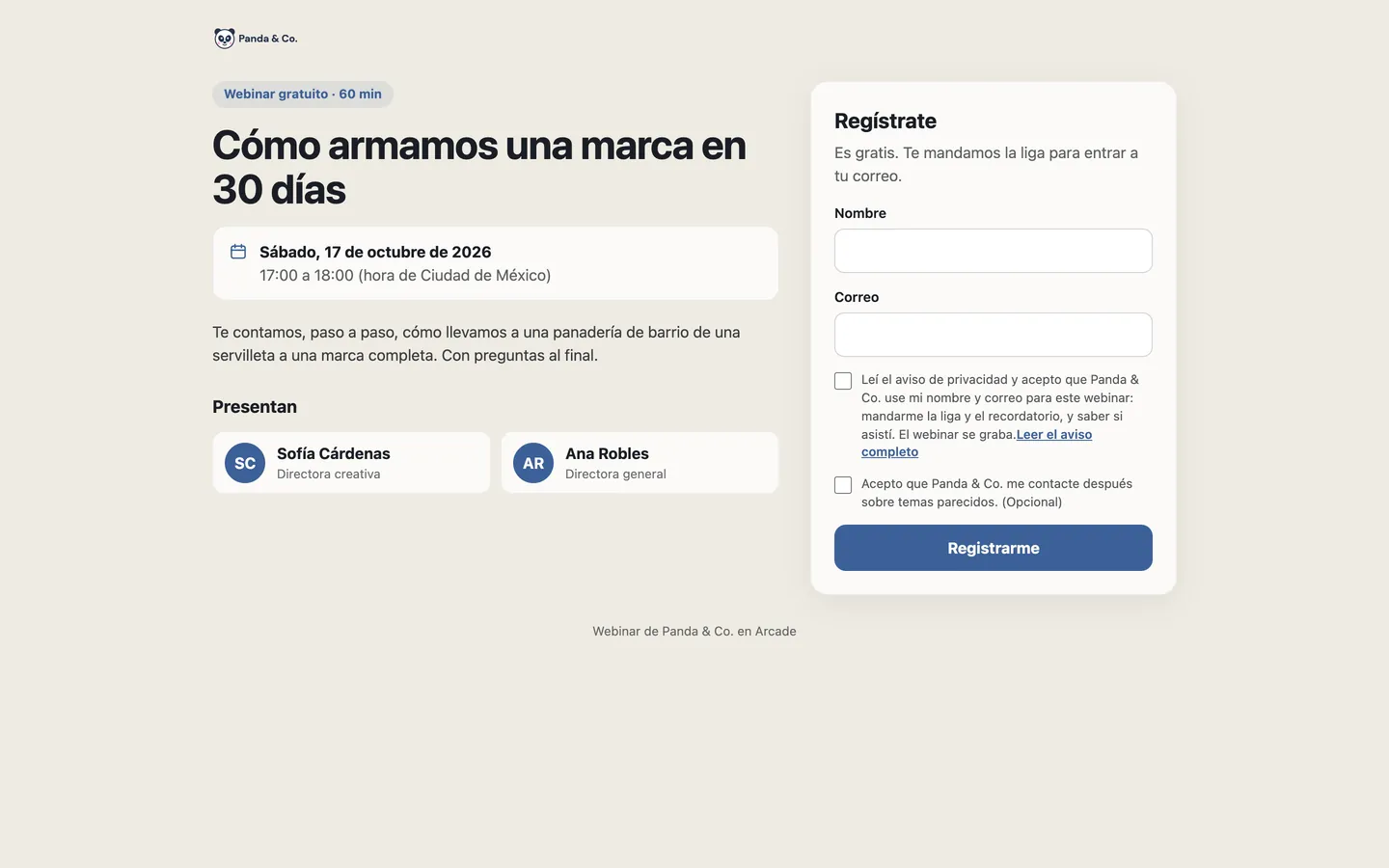
Your audience signs up.
On a public page with your logo, the time in the viewer’s own zone and the privacy notice. When they register they get a confirmation with their link, and an hour before, the reminder.
- 03
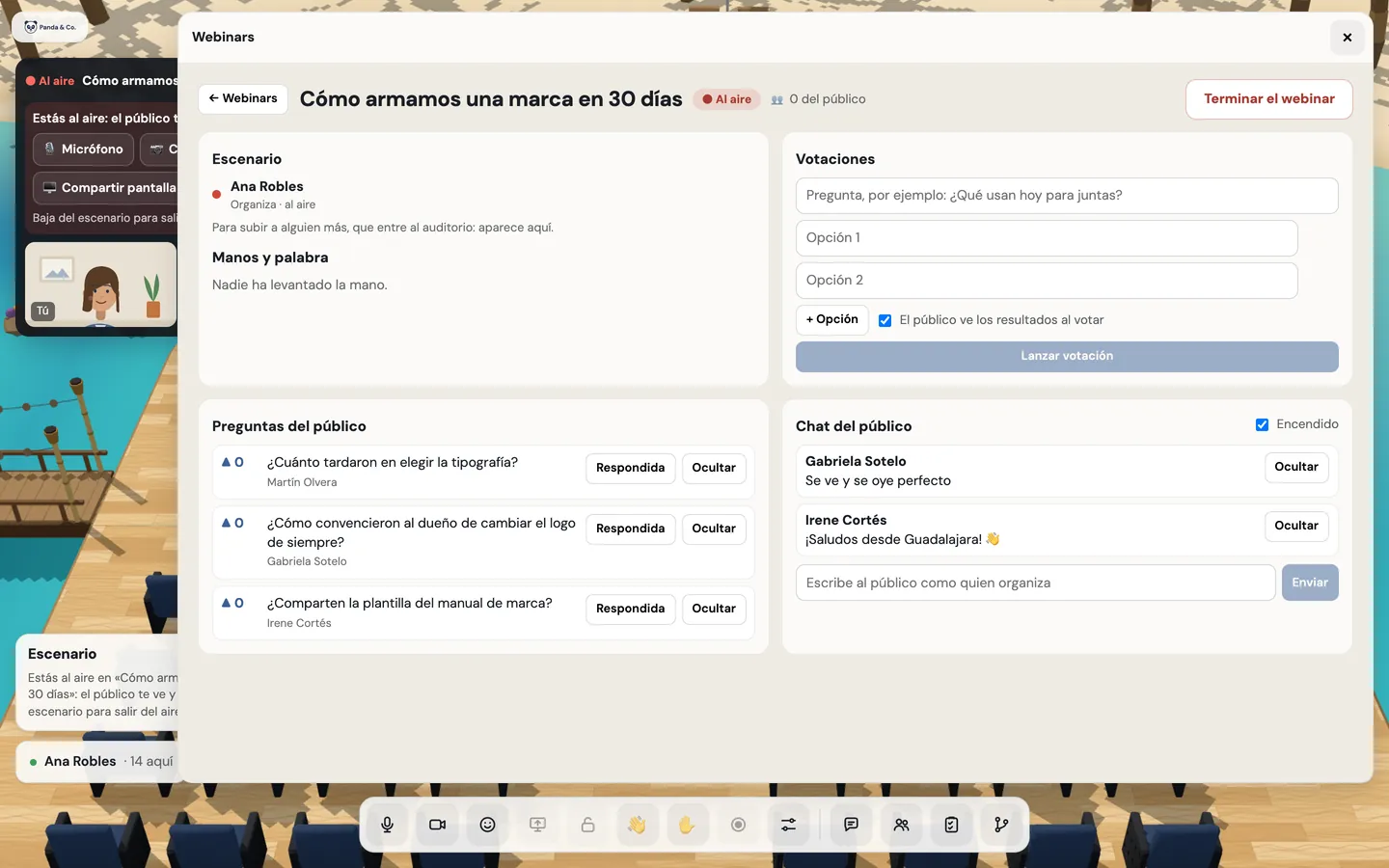
You host from a single screen.
Speakers get ready backstage without the audience seeing them. Once live, from the host screen (“Conducir”, since the office is in Spanish) you run the stage, raised hands, questions, chat and polls.
- 04
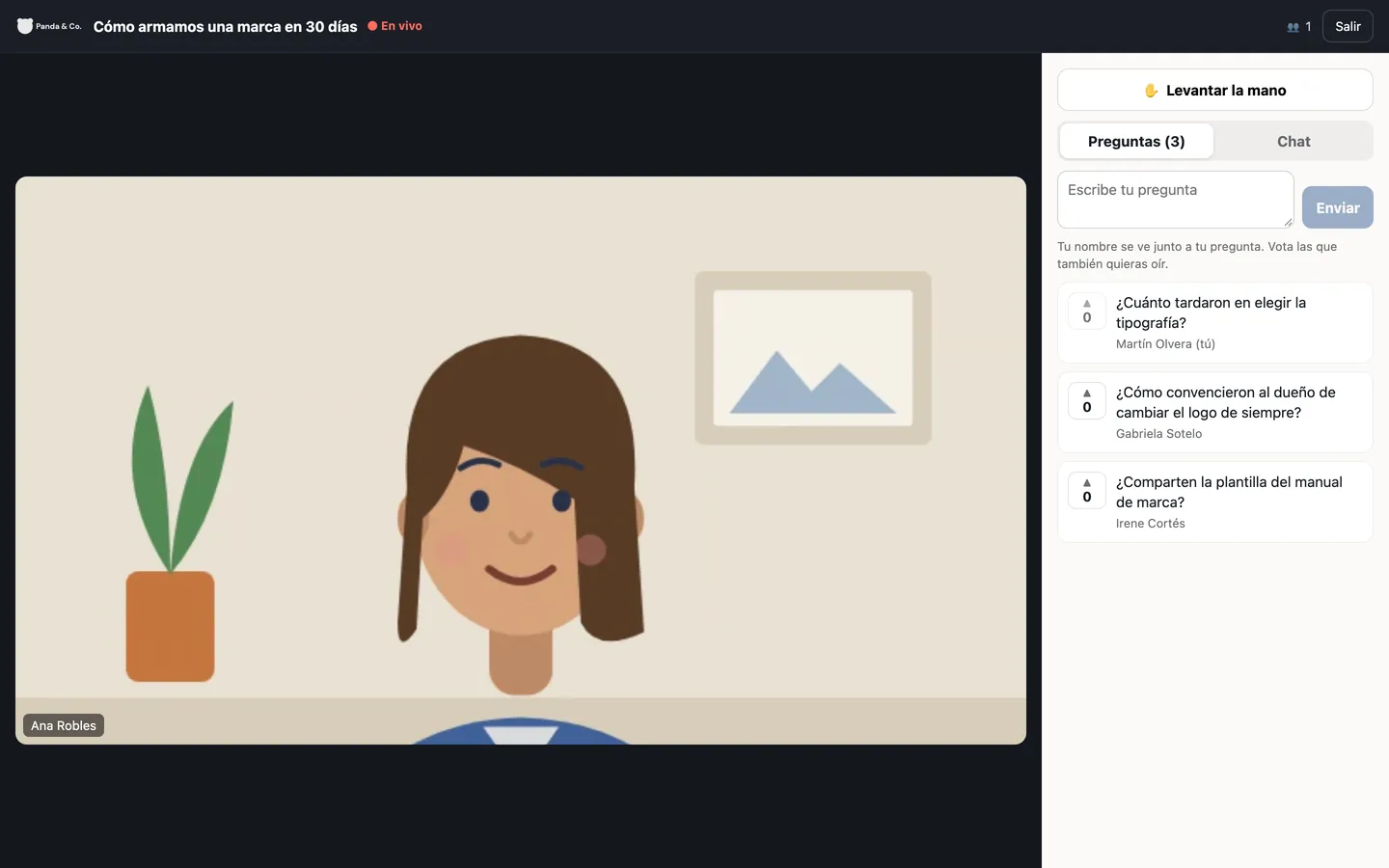
The audience takes part.
From a lightweight page that runs on a phone: they see the stage and the screen, send questions and upvote others’, raise their hand and vote in polls.


What’s included
Branded registration
A public page with your logo that doesn’t show who else registered and doesn’t duplicate sign-ups.
Automatic emailsWith Google Workspace
A confirmation with their link, a reminder an hour before, and a notice if it changes or is canceled.
Up to six speakers
Each with their title, and several hosts if needed.
Backstage
Speakers see and hear each other before going live.
Host screen
Going live, the stage, the floor, questions, chat and polls, in real time.
Upvoted questions
The audience asks and upvotes; the host sorts them and marks them answered.
Live polls
With 2 to 6 options and results in bars.
Giving the floor
Someone in the audience raises their hand and, if given the floor, is heard across the auditorium.
Up to 100 attendees
When it’s full, whoever arrives sees a clear notice.
Registrants and attendees
With when each person joined and left, to download.
Live recordingWith Google Workspace
It starts and ends with the webinar, and lands in your Drive.
Good to know
- Up to 100 attendees per webinar, and one live at a time per organization.
- The audience watches on a lightweight page, not in the 3D office; your team does experience it in the auditorium.
- Emails go out from your organization’s Google Workspace account.
- It’s meant for trainings, presentations and client sessions, not mass events.
Privacy
- The audience doesn’t see the attendee list or emails; a name only shows when someone asks or has the floor.
- Whoever registers accepts the privacy notice and decides separately whether they want to be contacted later.
- The recording captures the stage and the screen, never the audience’s faces.
Questions
Does the audience need an account or to install anything?
No. They register with their name and email, and join with their link from the browser, from a phone too.
How many people fit in a webinar?
Up to 100 attendees, plus the speakers. When it’s full, whoever arrives sees a clear notice instead of a page that won’t load.
Who can create a webinar?
Any team member; invited accounts can’t. Whoever creates it is its host.
What’s left when a webinar ends?
The list of registrants and attendees, the questions, chat and polls in spreadsheets, and the recording in your Drive.
Keep going
- Client meetings with no account or installYour client opens a link, types their name and is in your room within seconds, from a phone too. A waiting room with your brand, and they see nothing outside their room.
- AI meeting notes in your digital officeRecord the meeting, transcribe everyone by name and get AI meeting notes in your company’s Google Drive: summary, decisions and action items with owners.
- FeaturesProximity conversations, meeting rooms, guests without accounts, webinars, recordings with AI notes, chat, and attendance designed with worker wellbeing in mind.
Checked against the product on .
We’re opening a pilot.
A few companies, setup done together, a direct line to the people who build it and a preferential price forever. Join and we’ll write to you.
Join the pilot