Client visits
Your clients walk into your office.
Not into yet another call: into your meeting room. With a link, no account and nothing to install, from a computer or a phone.
In Arcade, your remote team’s digital office, a client joins a meeting room with a link: they type their name, test their mic and camera, and walk in, with no account and nothing to install, from a phone too. They only see their room, and you decide when they come in.
You send a client a link.
Then a password, then “can you hear me?”. Remotely, your company’s first impression is usually a waiting screen that says nothing about you.
How it works
- 01
You invite them as usual.
Add their email to the Calendar event with an Arcade room and they get a personal link. Or, from the room, “Invite” gives you a link that works for that day.
- 02
They’re in within seconds.
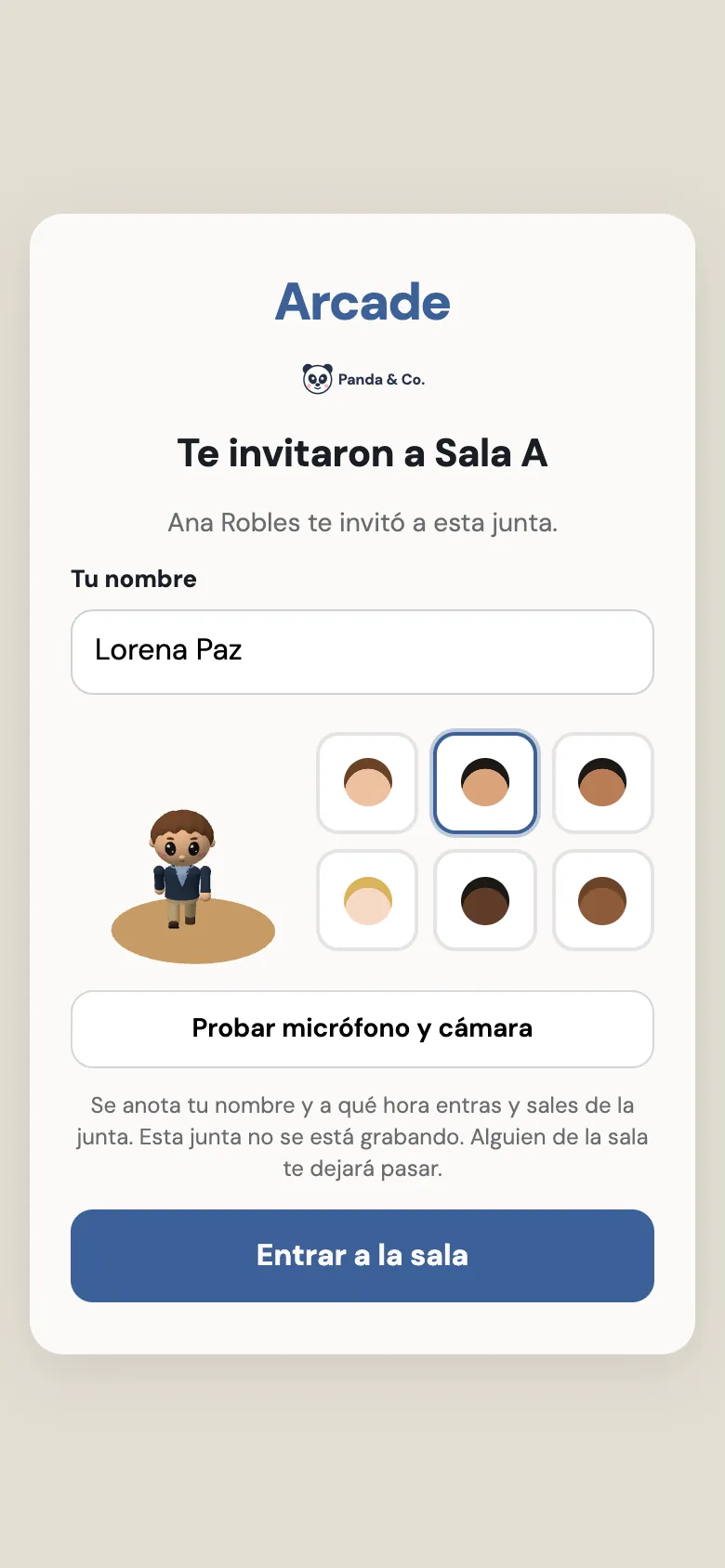
They open the link, type their name, pick a simple avatar and test their mic and camera. Before walking in they see what’s logged and whether the meeting is being recorded.
- 03
They wait with your brand.
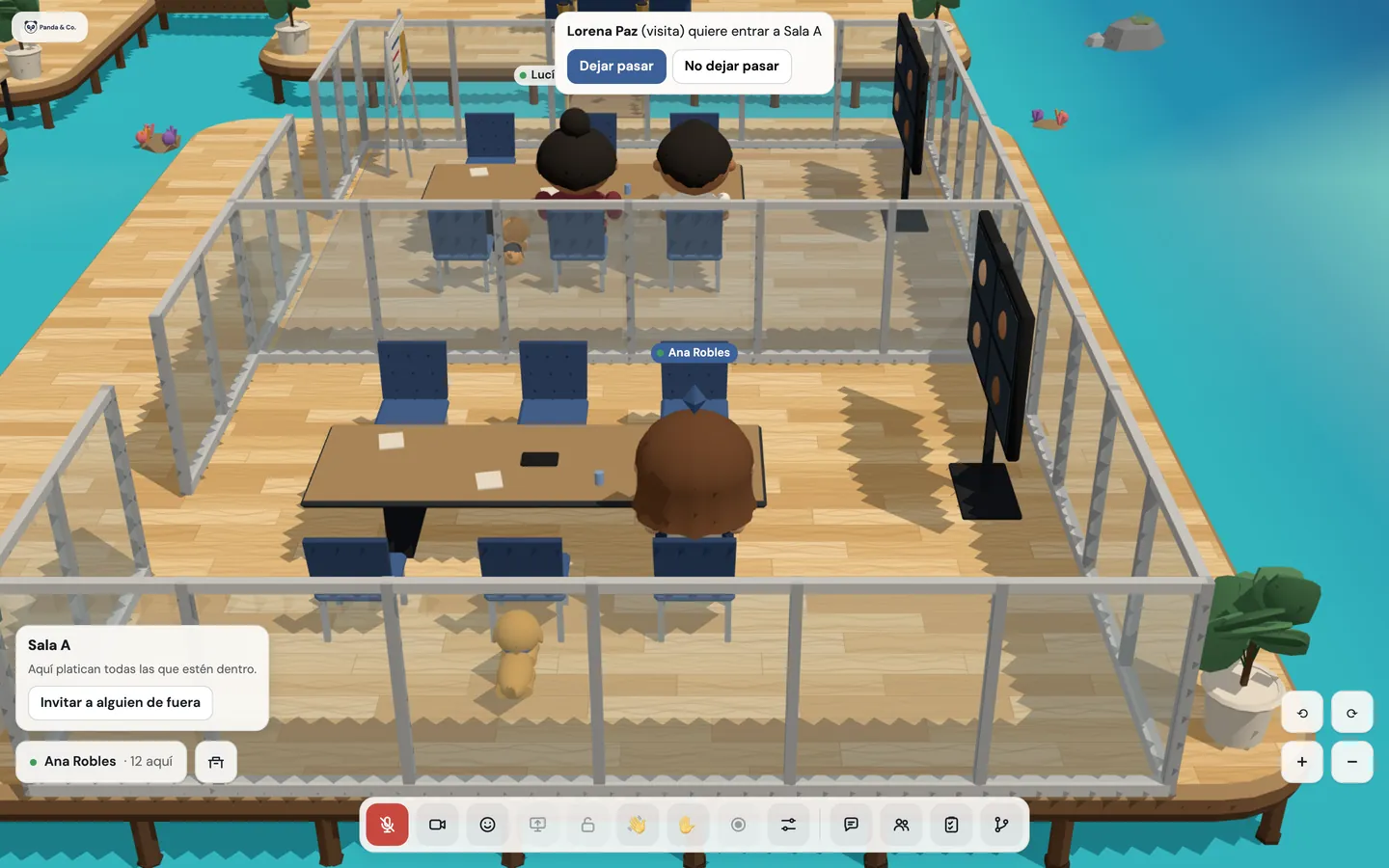
The “Invite” link goes through a waiting room with your company’s logo. Whoever is in the room sees their name with “Let in” or “Don’t let in”.
- 04
They only see their room.
The guest has voice, video, screen sharing and the room’s chat. They don’t see the rest of the office, your team or its chats: the server takes care of that.


What’s included
Join with a link
No account, no password and nothing to install. Their access ends with the meeting.
Two links
The Calendar event’s is personal and lets them straight in; the “Invite” one goes through the waiting room.
Waiting room with your brand
With your logo, and someone in the room decides when they come in.
From a phone
The same way in, in the phone’s browser.
Voice, video, screen and chat
Everything a meeting needs, with a simple avatar for guests.
They only see their room
Not the map, the team list or the organization’s chat. The server enforces it.
Guests in plain sight
A “Guest” label above their avatar, and the room marked “with a guest” for the rest of the office.
Up to 10 guests per room
Plus your team.
Guest log
Your organization sees guests by room and date.
Good to know
- Up to 10 guests at once fit in a room.
- The “Invite” link works until midnight; the event’s, for that meeting.
- Guests don’t go through reception: they appear right in their room. The reception with your logo is for your team.
- For the link to arrive in the invitation on its own, the event’s organizer needs to have connected their Calendar.
Privacy
- Before walking in, guests see what’s logged (their name and when they joined and left) and whether the meeting is being recorded.
- Guests can’t record and don’t get recordings automatically.
- Your organization sees the list of guests by room and date.
Questions
Does my client need to create an account?
No. They open the link in their browser, type their name and walk in, from a phone too.
What if someone forwards the link?
The “Invite” one always goes through the waiting room, so someone in the room decides whether they come in. The event’s link is for that meeting.
Can my client see the rest of the office?
No. They only see their room; the server doesn’t let them leave it.
How many clients fit in a meeting?
Up to 10 guests at once per room, plus your team.
Keep going
- AI meeting notes in your digital officeRecord the meeting, transcribe everyone by name and get AI meeting notes in your company’s Google Drive: summary, decisions and action items with owners.
- Webinars with registration, Q&A and pollsBranded registration, confirmation and reminder emails, a backstage, upvoted questions, polls and up to 100 attendees, from your office’s auditorium.
- FeaturesProximity conversations, meeting rooms, guests without accounts, webinars, recordings with AI notes, chat, and attendance designed with worker wellbeing in mind.
Checked against the product on .
We’re opening a pilot.
A few companies, setup done together, a direct line to the people who build it and a preferential price forever. Join and we’ll write to you.
Join the pilot